3CX Update 10: What's Changing for Your Business Phone System
1/9/2026
3CX has confirmed what's coming in Update 10, and it's a bigger release than usual. A new fair use policy will start capping how many users can run on a system, AI is getting a much bigger role in call handling, and there's a new option for branded hold music by department. If you're running a hosted 3CX system through Lightwire, here's what to expect.
A new fair use policy for extensions
In October 2025, 3CX introduced a fair use policy to keep systems healthy and the platform fair for everyone. Each licence tier now has a maximum number of extensions, set to keep a safe ratio of simultaneous calls to users — starting at roughly one call per four users on smaller licences, and loosening to one call per eight users on the largest ones.
Update 8 started flagging systems that exceeded their allowance. Update 10 goes further and enforces it: once a system hits the limit, 3CX blocks the creation of new user accounts. If your system is already over the limit when it's upgraded, the upgrade itself goes through fine. You just won't be able to add new users until you free some up or move to a larger licence.
What if you're over the limit?
Most of Lightwire's hosted systems already sit within the new limits. For the ones that don't, there's usually a straightforward fix, without needing to upgrade licence tiers:
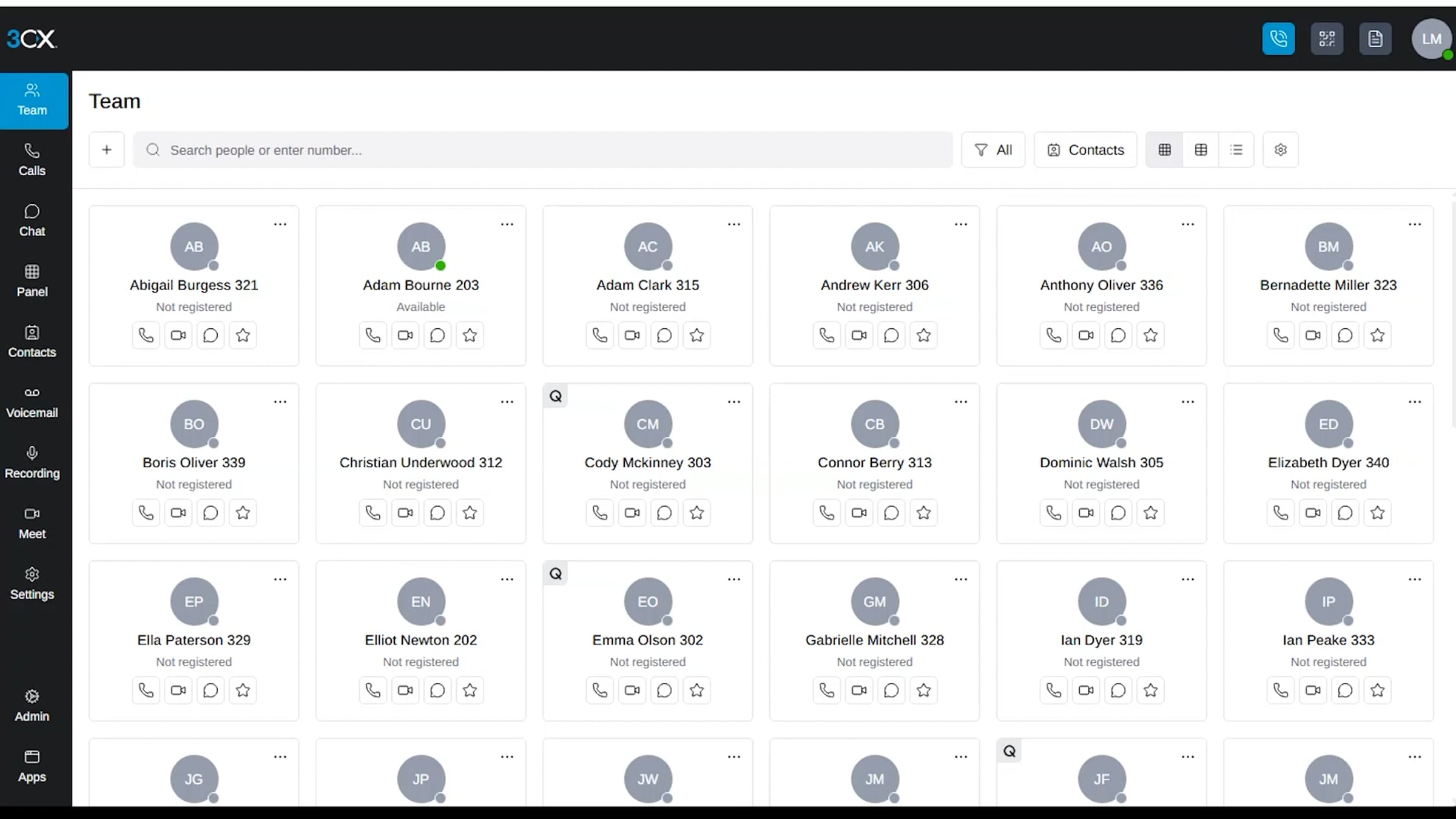
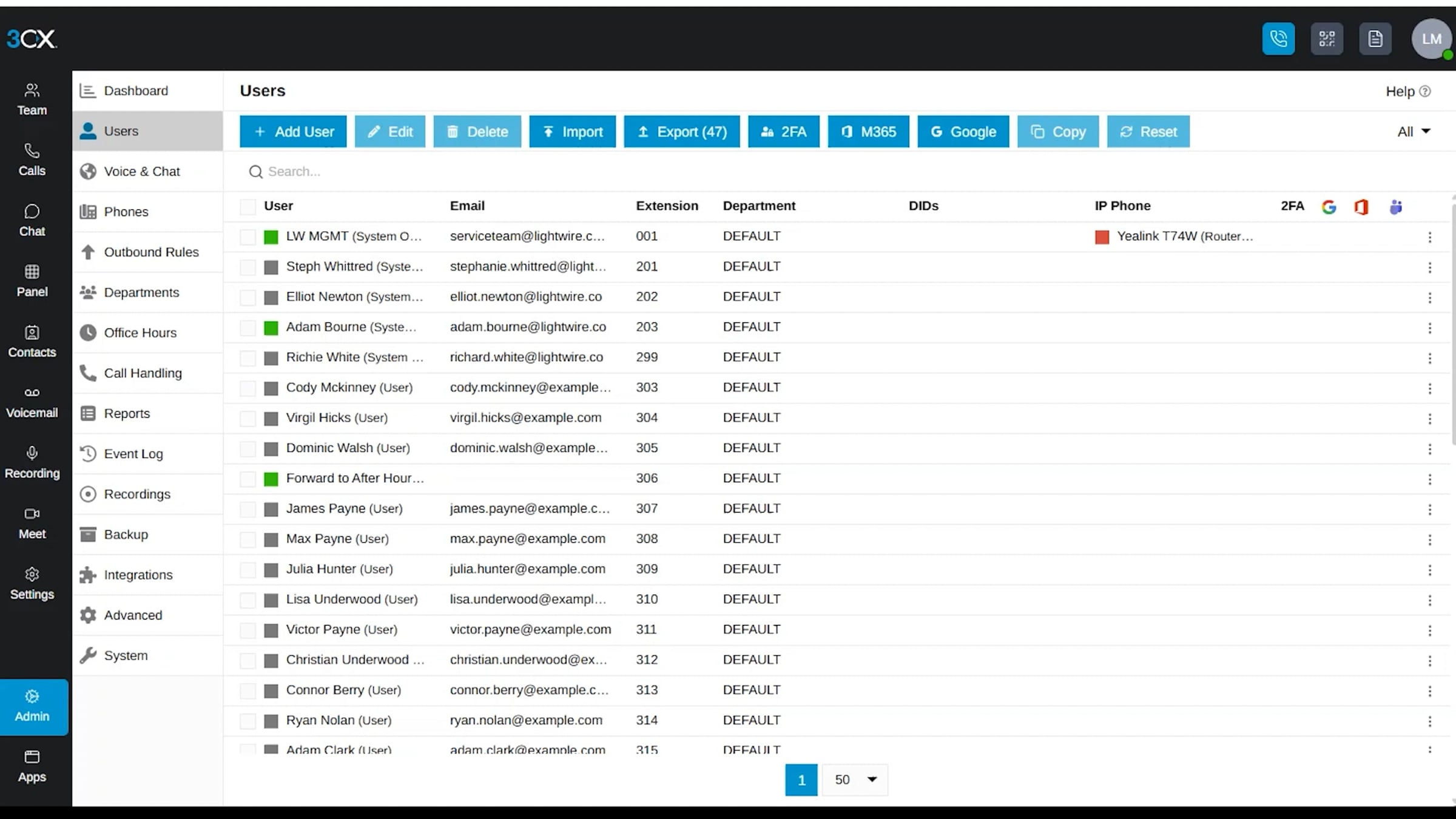
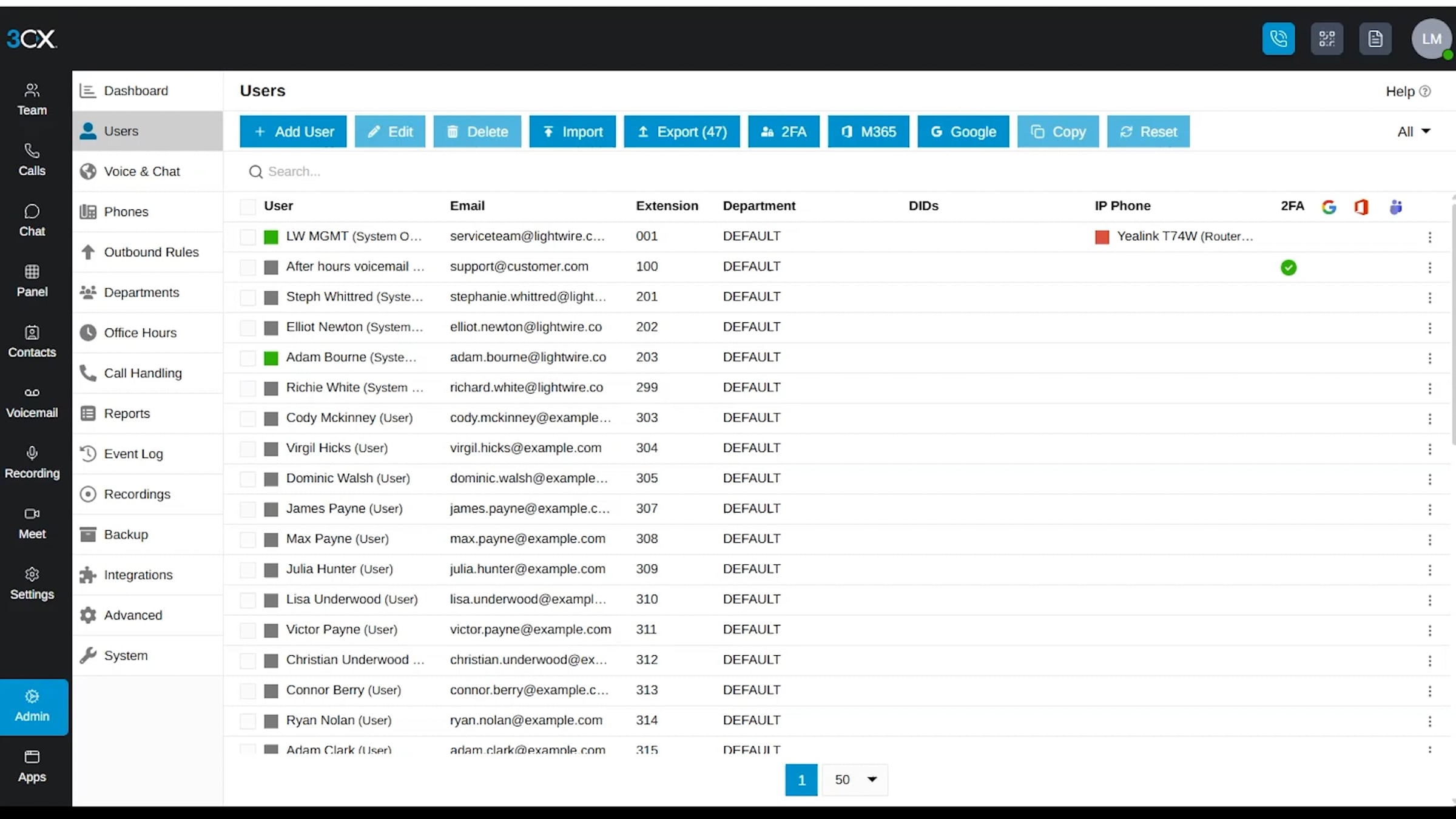
- Remove accounts for people who've left the organisation or no longer need 3CX access.
- Replace "dummy" extensions with features already built into 3CX — Ring Groups, Calling Queues, and IVRs can now handle time-of-day routing using their Office Hours, Break, and Holiday destinations.
- Convert voicemail-only extensions into group mailboxes attached to a Ring Group or Calling Queue, with messages delivered straight to whichever email address you choose.
- Use an empty Ring Group to divert calls to an external number, rather than keeping a dummy extension in the system just to forward a call.
Delete users on 3CX
Set up call forwarding
Voicemail instructions
New AI features
3CX added transcription and AI agents in earlier updates. Update 10 pushes further in the same direction.
A self-hosted AI Server
Update 10 makes it possible to run a self-hosted AI Server for call transcription and summarisation, on hardware with an nVidia GPU or a Mac running recent Apple Silicon. The minimum spec is a Mac Mini M4 with 24GB of RAM, and it's not a small trade-off for privacy or cost — that single Mac Mini can handle up to 200,000 minutes of transcription a month, and one AI Server can serve multiple 3CX systems. This sits alongside the existing cloud transcription options through OpenAI, xAI, and Google Cloud. Using a self-hosted AI Server requires an 8 simultaneous call AI licence or higher.
3CX Model Context Protocol (MCP)
Update 10 adds a native MCP server, letting an AI client such as ChatGPT or Claude connect directly to your 3CX system. Connections run over OAuth, and users can only reach the functions they'd normally have permission for. Once connected, that could mean querying calls, recordings, and logs, generating reports, or handling simple actions like logging in and out of queues and assigning DIDs.
AI Customer Service Agent
The last update introduced two AI Agents: an AI Receptionist to route callers and answer basic questions, and a Personal Assistant to check a user's availability and take messages or reroute calls. Update 10 adds a Customer Service Agent, built to handle lower-level support by pulling answers from your knowledge sources and escalating to a human when it needs to. You can also set an automatic escalation path for when the AI model itself is unreachable. This feature needs the AI licence and an OpenAI account using their GPT-Realtime models.
Bring your own AI Voice Provider
3CX has also built sample call scripts allowing calls to be routed to an external AI Voice Provider. With these scripts calls can be routed directly to an AI agent from a DID, or as a "virtual extension". The scripts can expose information about specific extensions and teams to the AI agent, allowing direct transfers between, or offering voicemail or chat if the user is unavailable.
Call scripts are available for OpenAI Realtime, Google Gemini Live, and xAI Grok, and simply requires a 3CX AI Edition licence on Update 10, and an API account with the chosen provider. It should be possible to create new scripts for other platforms such as ElevenLabs to route calls directly.
Better call summaries
When 3CX transcribes a call — through a cloud model or the new AI Server — it now splits the summary into three parts: what happened, the important context and details, and what needs to happen next. You'll find this in the call logs, and if you've got a CRM integration switched on, it can be sent through automatically as a record.
Single Sign On for the Windows Softphone
The Windows Softphone better supports Single Sign On with Google or Microsoft 365, making it even easier to deploy the app with a policy and get staff online.
Department music on hold
You can now set a different hold audio file per Department, opening the door to branded hold music by location. This is also opened up to our SMB customers, meaning we'll be able to offer custom hold music!
Better management of desk phones
Improvements have been made to how 3CX manages supported desk phones. The admin console's "Phones" page has been redesigned to give more information about phones that are configured on the system. It's now possible to move a phone directly from one user to another without having to remove and re-add it. Lastly, Update 10 makes it easier to work with custom configuration templates, with a new ability to switch the template for live configurations without having to redo everything.
Pop out dialer on the Webclient/PWA
The Web Client has been updated to let the dialer be popped out into a separate window that's always on top, saving on desktop space!
What happens next
3CX hasn't set a release date for Update 10 — but as it's now in "Release Candidate" stage, it's expected in the next couple of weeks. Normally, Lightwire runs auto-updates early on the Monday after a new version lands. Given the impact of the new extension policy, we'll hold off this time and stage the rollout, starting with systems already inside the new limits.
If you're not sure where your system sits against the new limits, get in touch with your account manager and we'll check it for you.
Lightwire vs Starlink: What Actually Matters When You Switch
Why your business name may not show on Caller ID
Telesmart joins Lightwire
Read more

Lightwire Invests in Waipa Broadband

How much data do you need?
